Arg… the loop

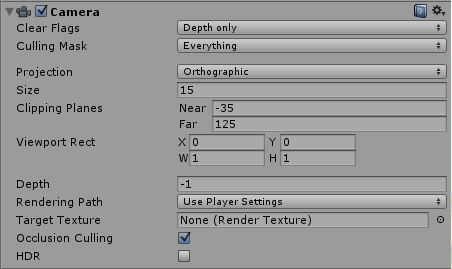
Getting the map to loop has been a massive pain. To be specific, instantly transporting the player from one end to the other is easy, it’s filling in the blanks at each end with a view from soon to be reached other end that is the problem. So far the best solution I’ve come up with is essentially having two extra cameras on either side of the main camera at a map length distance away so as the player reaches the end of the map the “chase” cam fills in the blanks. This required setting the camera objects clear flags to Depth only, and adjusting its depth.

Camera

This solution hasn’t been ideal as there is visible tearing at the edge of the map (plus problems with shadows and other rendering hassles) so I am trying to find something better as I continue on other aspects.

Unity Health Bar Slider

This took me way longer to discover than I thought it would. I’d implemented a UI Slider to display health (actually I’m using it as a fuel gauge but the principle remains the same) which worked fine but I wanted to change the colour as the players health/fuel reduced, and then flash if perilously low. Many of the examples I encountered online seemed overly complex for what I assumed should be a fairly easy and common task. I’m not sure why a simple solution – like the one below – isn’t more readily searchable (or perhaps my google-fu isn’t what it used to be)…

using UnityEngine;
using UnityEngine.UI;
using System.Collections;

public class PlayerHealth : MonoBehaviour {
    float maxHealth = 100;
    float currentHealth;
    Slider myHealth;

    void Start() {
        myHealth = GameObject.Find("MyHealthSlider").GetComponent<Slider>();
    }

    void Update() {
        if ((int)myHealth.value < 10) {
            myHealth.image.color = Color.Lerp(Color.red, Color.white, Mathf.PingPong(Time.time, 1f));
        }
        else {
            myHealth.image.color = Color.Lerp(Color.red, Color.green, currentHealth / maxHealth);
        }
    }

Hopefully this will save someone else time in the future 🙂
Cheers. J

Update to Map Creation

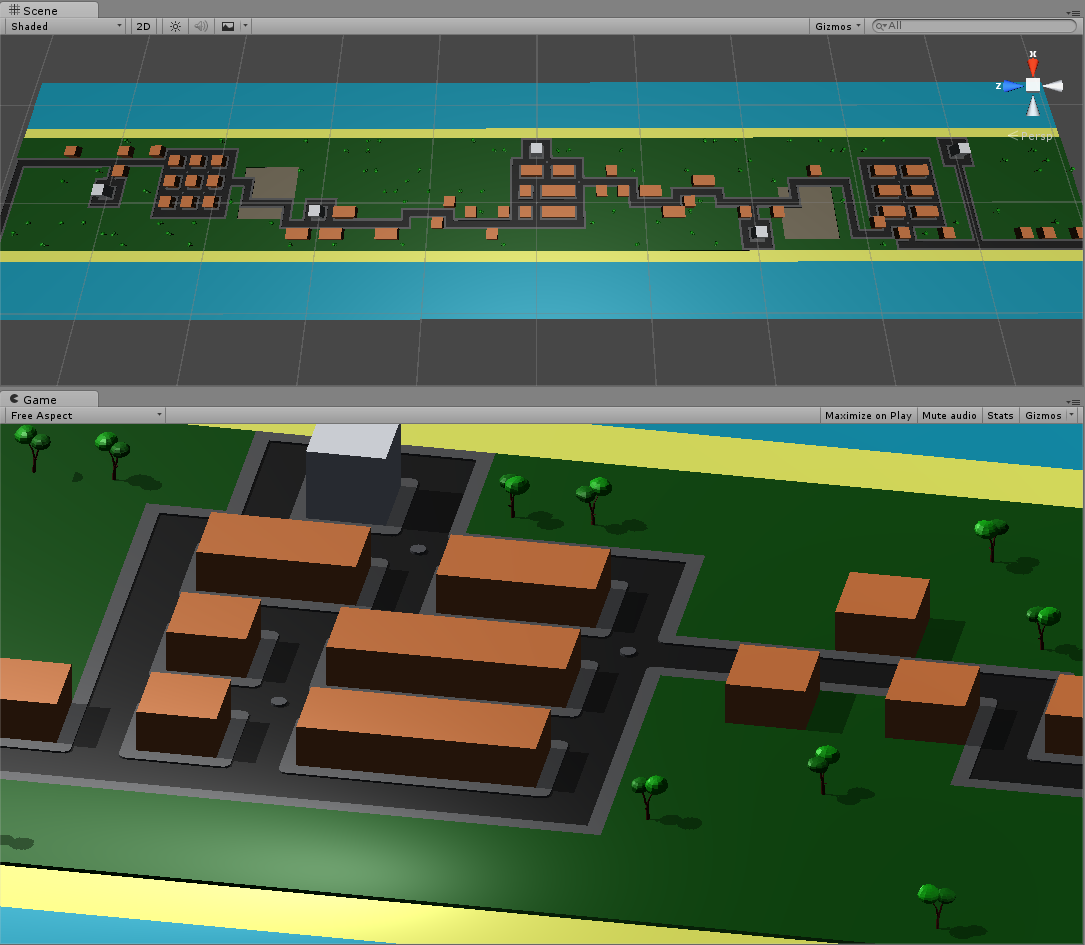
Putting basic blocks onto the map generated by the map creator turned out to be pretty simple. Essentially, all that is necessary is to instantiate a prefab at the location defined by the array (in coordinate multiples of 10 in my case due to the block sizes) and this is the result. The trees were a quick attempt at Blender (instantiated with a random rotation) but obviously need to be replaced with something nicer. Much like all the other blocks 🙂

FirstMapBuild

The roads are a little more complicated as placing them requires knowing what other road tiles are adjacent. Now I’m currently working on a basic player character and trying to get the level to loop at each end (like defender).

First Steps into Game Making

Procrastination is a hell of a thing. Although I’ve spent periods of the last year trying to learn Unity and C#, much more was spent on Reddit. A few weeks ago, however, I managed to kick myself out of that cycle and start work on my first game. The game in question is essentially a bit like Defender (of old arcade fame) but with inspirations from other sources – one in particular from the 80s on the wonderful C64 called Falcon Patrol.

To add a modern twist I’ll be using 3D graphics viewed from an orthographic perspective, and instead of pre-built levels I’ve opted for procedurally generated maps. This will hopefully keep the game fresh with each new play and help it feel more contemporary.

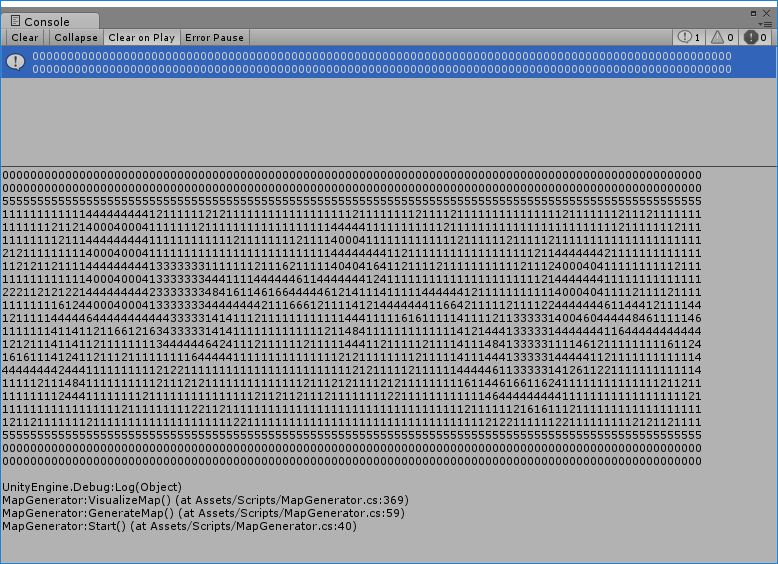
To begin I started with the map creation. I generated a basic layout in a two-dimensional array (water along the edge, sand inside, then grass and a seeded random amount of trees placed on the grass). After that I went back over the map adding towns, bases and roads (all using the seeded random). I had to ensure the roads linked at each end because, like the inspirations this game is based on, I want it to continually loop. To visualize what the level looked like I wrote the array to the console. As seen below:
MapVisualisation

  • 0 Ocean and towns if in the middle of the map
  • 1 Grass
  • 2 Trees
  • 3 Farm
  • 4 Road
  • Plus a few others

Next step will be to instantiate prefabs (basic blocks to start with) using the generated array and see how it all fits together.

Credit to Sebastian Lague with this youtube video for getting me started with the procedural generation. Cheers. J