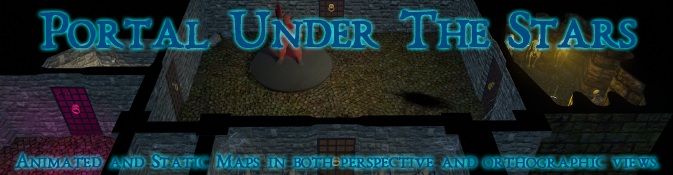
Making maps for RPGs is actually pretty good fun. Especially since Blender has been updated into a (at least for me) more user friendly experience. Gone are many of the frustrations I faced when I used the program a few years ago to make models for my games. In its place is a much easier user interface providing an incredible and powerful set of tools to do pretty much anything you can think of for games, movies, scenes and many other areas (3D modelling, texture painting, CGI, Compositing, Visual Effects, ++).
As part of the learning exercise I decided to create overhead maps of the dungeons I’ve encountered in the excellent Dungeon Crawl Classics. First up was Portal Under the stars. You can download the files here or view them on YouTube here. They are short (8 second) repeating clips designed to be played on a virtual table top (I recommend Foundry VTT). I really hope they are of use to someone out there 🙂
The above is meant to be a click bait title to help people find a small, new (less than a year old) group of RPG’ers in the Pattaya region. Currently there are only 3 of us and we are playing mostly D&D, but are also willing to try out other systems. So far we’ve done a few one shots and short campaigns in Runequest and Mothership, and have been having a go at Dungeon Crawl Classics (My personal favourite).
If you are interested in joining, please drop me a comment (leaving your email address or other means of contacting you). I won’t publish any personal details online.
Along with my fairly frequent plays of ASL I’ve picked up a copy Tunisia II. A module in the Operational Combat Series (OCS), which like ASL, is also published by Multi Man Publishing (I’m in danger of becoming a bit of a fan boy). The system emulates operational level conflicts and in this case it depicts the end of the German Afrika Korps. One of my main reasons for trying out this particular system was the units dependence on supply. An important issue that faced many commanders in the field yet is often glossed over when interpreted onto board and screen. German shortages late in WWII were critical, leaving many planes grounded and armour abandoned! (Wiki article covering Blitzkrieg – check the logistics section). OCS requires that units not only trace supply to friendly sources, much like many other wargame systems, but to also have supply points available on-map that can be spent for movement (trucks and track based vehicles), and also spent to attack, defend, refit aircraft, build defences, etc. This leads to constant wrangling of not only where to best place units, but to ensure that enough supply is ready and available when and where it is required.
Amateurs talk about tactics, but professionals study logistics
Another aspect of the higher level of operation (compared to ASL) is the clearly defined battle fronts that can be hard to break down. OCS games have very porous zones of control (descriptive quote from Big Board Gaming), and although the only units that are stopped in an enemy ZOC are ones that use truck movement points the units that do make the break through will still require supply from the HQ’s via their truck movement point “throw” range. This effectively means that pretty much all infantry and armour are able to break the lines, however that could then put them out of supply unless the breach can be widened or the units can be directly supplied using on-map supply points. This leads to an interesting tug-of-war as each player struggles to make headway.
OCS games have very porous zones of control
Plagiarized and possibly paraphrased from Kevin of the excellent Big Board Gaming
The main complaint I’ve seen levied at OCS is due to the limited supply resulting in some units never actually fighting (or even moving) during an entire scenario. While possibly a valid complaint, although I’ve no idea how often motorized units ground to a halt or were held back due to shortages in reality during the WWII, I feel that in this game the supply is more a representation of where “extra” is being allotted for big pushes. Thus, units adjacent to the enemy, while no dice are actually being thrown, are still engaged but not actively trying to push forward. I guess my point is that all games are an abstraction to varying degrees and the ability to move and fight with every unit in OCS, especially in some of the larger titles (see Beyond the Rhine below) would most likely take an unreasonable amount of time and possibly paperwork just remembering which units had been in combat or otherwise activated.
Looking at a scenario from Beyond the Rhine (Another OCS title) begins to show just how many units larger titles in the series contain. They can get even more numerous!
The game so far is extremely enjoyable and played at a much slower pace than ASL. Moves can often take an hour or so to mull while considering the consequences. During the actual movement the other player is by no means left with nothing to do. They are – to some extent – able to react if units had been set up in reserve.
I’ll see if I can get my son, or another willing participant to give the game a go before I can say if it sits firmly in my favourites list. But so far it really is rather good.
Finding players for board games isn’t easy. Perhaps my location makes this task particularly hard or perhaps it’s simply a sign of the times. While I am still playing OCS and ASL among other games, I have decided to jump into a bit of online racing in the hopes of human competition. I avoided other online options like shooters as, although they are enjoyable, I’m really bad at them.
*Note – I know I could use VASSAL or any one of the myriad of other options to play board games over the internet but for me that takes a large part of the experience away from what I am looking for with board games. Continue reading →
A lot of the time the title of this post is true (for me at least). However, as I recently encountered it doesn’t always hold true. I’m working on a little pet project (another game) and I needed to know the rotation of the mobile screen. I didn’t need the tilt, yaw, pitch, facing, or any of the other myriad of axis. Just a simple rotation. Specifically, the amount of rotation between, say, Portrait and Landscape left. A quick Google showed that a number of folks had wanted similar data during their creative endeavours so I simply went to work Ctrl-c’ing, Ctrl-v’ing my way around and checking to see if the posted solutions were what I required. Many examples were overly complex especially considering that I’d have thought this was a rather common requirement for games on a mobile platform.
After a while I used some of what I’d learned from the many complex online examples, and condensed it down into something that would work for me.
Essentially adding the z and y axis got me a simple result that showed only the rotation. Previously both axis figures changed when the phone was tilted (pitch) or rotated. I’m still not sure if this is a “feature” of my phone or it will remain the same across all devices. The one caveat that I can easily overcome is that the above code shows the same results regardless of whether the device is tilted to the left or right.
With an embarrassing amount of time spent figuring out the above I set about coding the left/right adjustment and discovered Input.gyro.gravity function… UGH!